Free Version
RSX Trade Risk Planner Free
Draw the trade plan, set your risk, see the entry size and keep live plan values updated in a draw-only workflow.
FREE DOWNLOAD FREE Product detailsDraw entry and stop-loss directly on the NinjaTrader 8 chart, read the calculated quantity and risk, and keep live trade values visible as the position changes.

Start with the free planner for risk planning, position sizing, live plan value updates and the Profit Guide Line. Upgrade to PRO when you want order submission, trade management, Chart Trader account sync and close controls.
Free Version
Draw the trade plan, set your risk, see the entry size and keep live plan values updated in a draw-only workflow.
FREE DOWNLOAD FREE Product detailsPRO Version
Everything in Free, plus order submission, trade management, Chart Trader account sync and Close 50%, Close Custom and Close All controls.
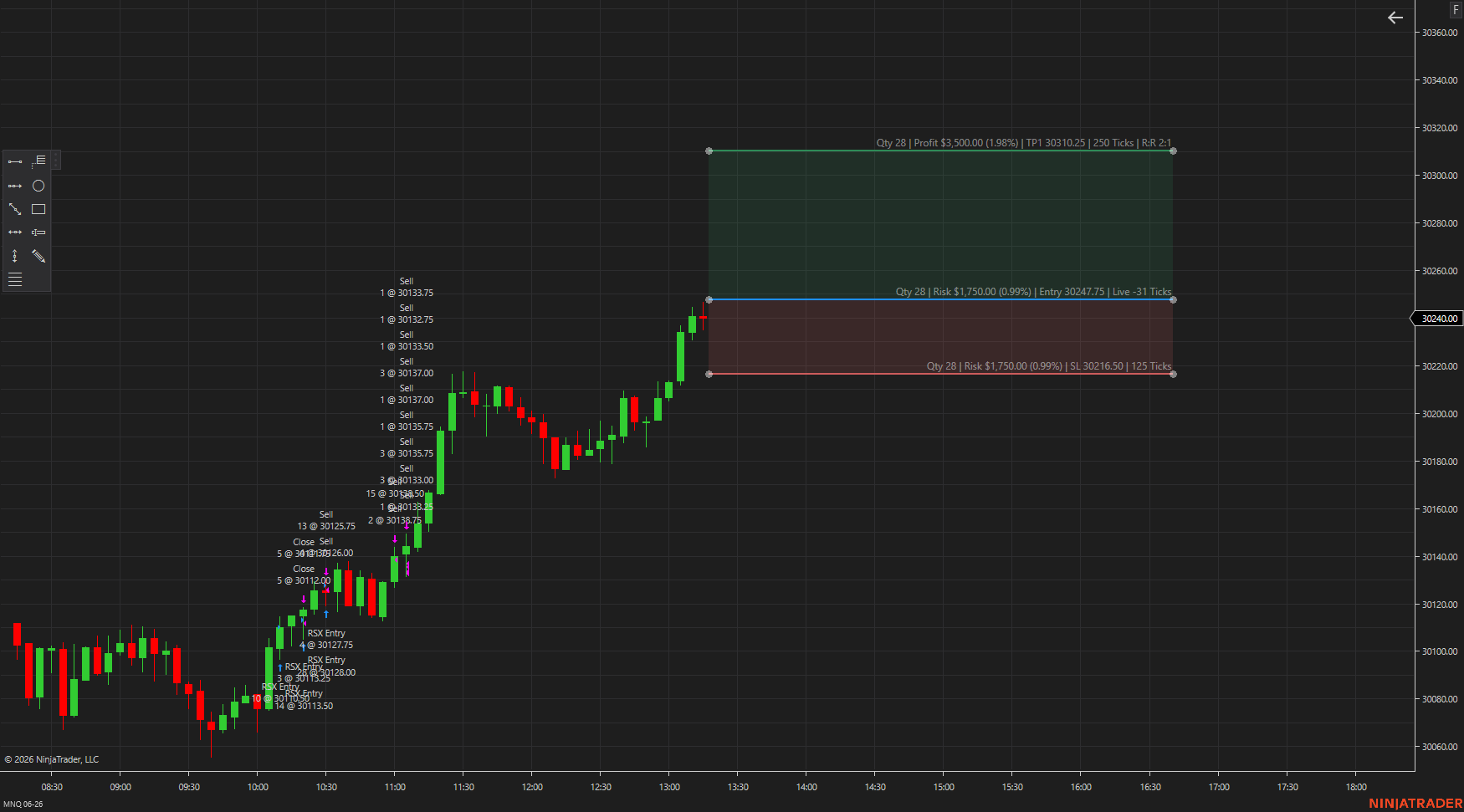
PRO order controls keep the planning surface connected to trade management while adding Chart Trader close controls for 50%, custom percentage and full-position exits.
Captured directly from the working chart interface.
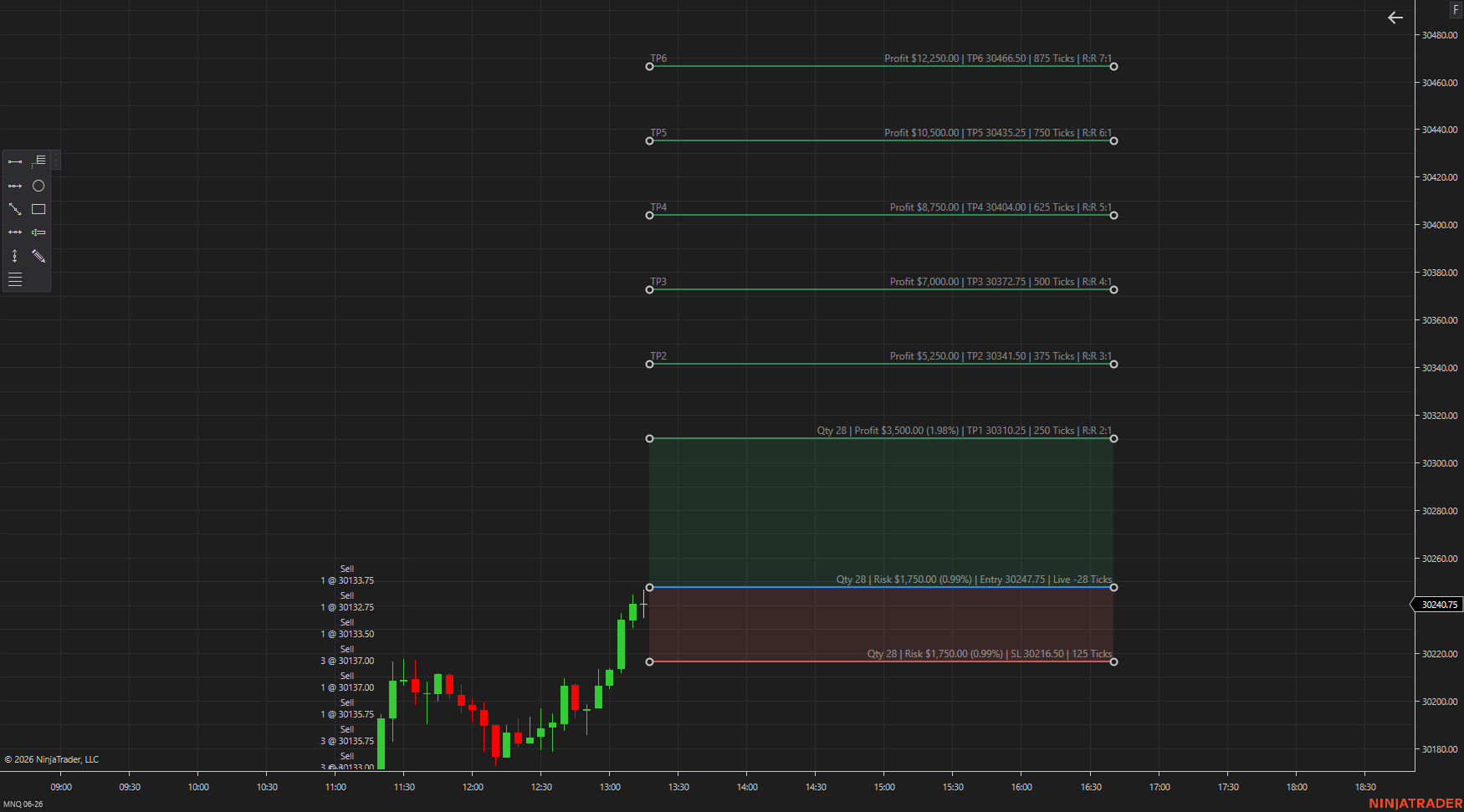
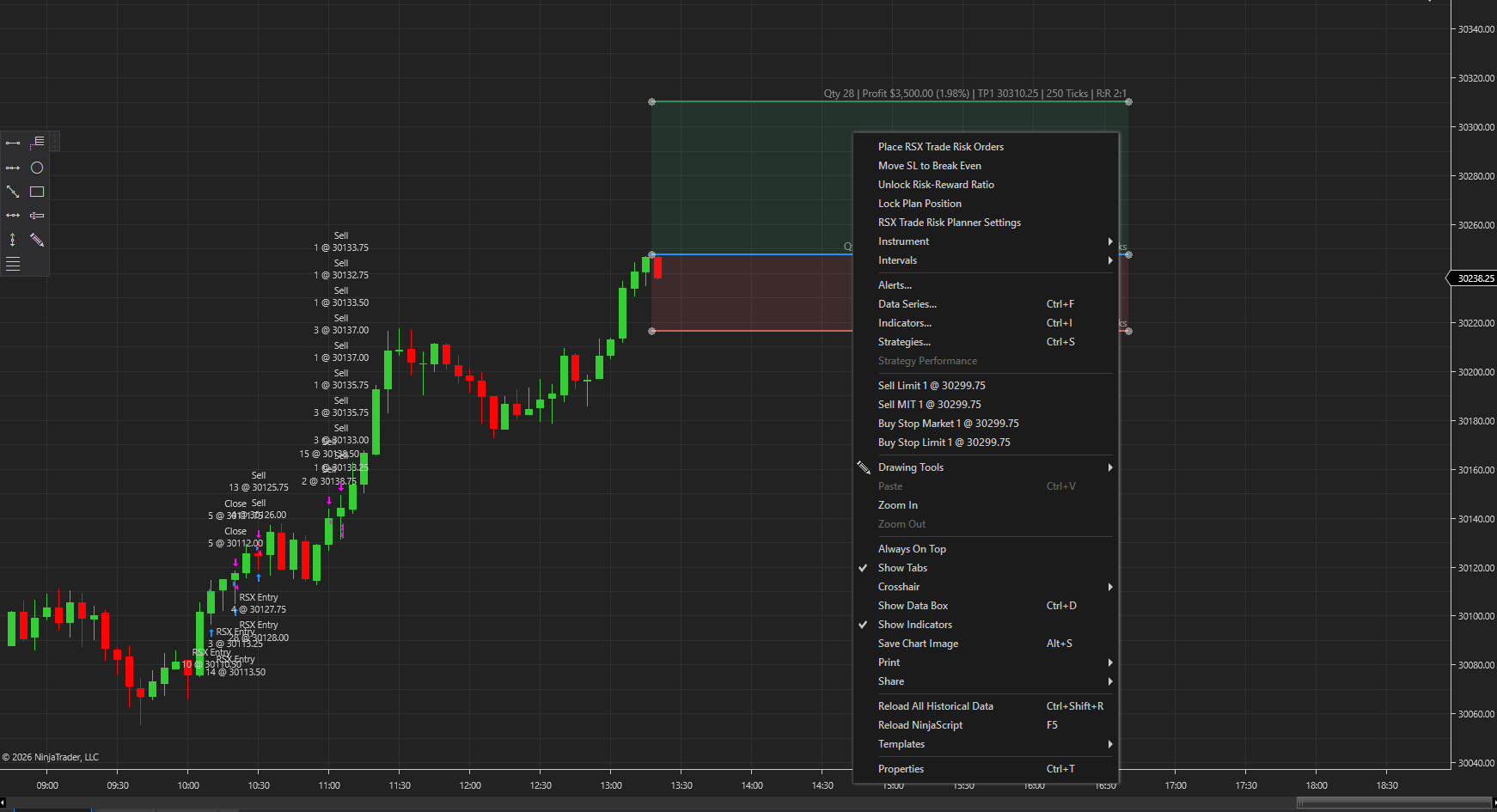
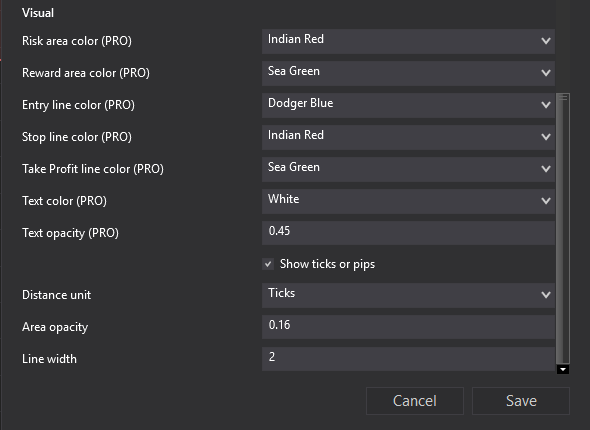
Download the NinjaTrader 8 package from your RSX account, import the ZIP directly through NinjaTrader and open RSX Trade Risk Planner Settings 2.6 before drawing your first plan.
Compatible with NinjaTrader 8 desktop workflows. Version 2.6 is designed for chart-based planning, live plan value updates, the Profit Guide Line, compact Fit Text layouts and optional PRO execution controls.
Yes. RSX Trade Risk Planner is a NinjaTrader 8 risk reward indicator and planning tool for entry, stop loss, targets and risk review.
Yes. The tool is built to keep position size connected to the stop distance and configured risk so the trade can be reviewed before execution.
Yes. PRO supports Chart Trader account sync for traders who want planning and execution context to stay connected when NinjaTrader allows it.
Yes. The Free version supports risk planning, position sizing, live plan value updates, the Profit Guide Line and a draw-only workflow. PRO adds order submission, trade management and Chart Trader close controls.
Version 2.6 adds live plan value updates after partial exits and add-on trades, a configurable Profit Guide Line, a more compact Fit Text layout, and PRO Chart Trader controls for closing 50%, a custom percentage, or the full position.